
Tool Calling: Connecting Language Models to Actions
Also known as: Function calling · Tool use · Function tools
Definition
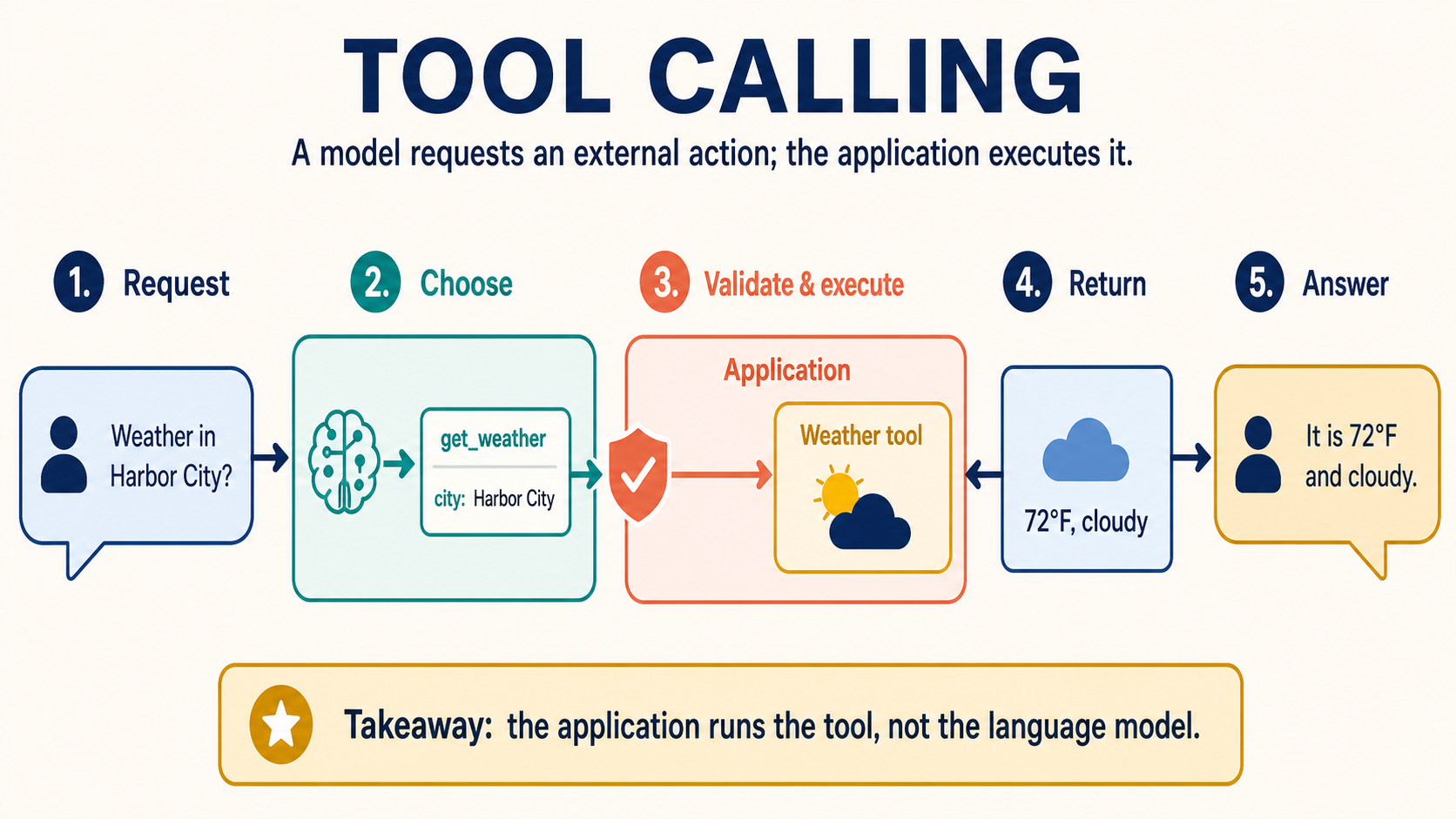
Tool calling is an application pattern in which a language model selects a declared external capability and produces structured arguments, while the surrounding application validates and executes the requested operation.
Contents
Tool calling connects a language model to capabilities it does not possess by itself, such as querying a database, checking a calendar, calculating with code, or submitting a business operation. The application describes available tools and their input fields to the model. The model may then return a structured request naming a tool and proposing arguments.
The crucial boundary is execution: generating a tool request is not the same as performing the action. The host application decides whether the request is allowed, validates its arguments, invokes the real system, and returns a result. The model can then use that result to compose a response or request another step.
Simple analogy
Imagine a hotel concierge who can ask specialized staff for help. A guest asks whether a table is available. The concierge chooses the reservation desk and fills out a request slip with the date, time, and party size. The desk checks the request against its rules and returns the availability. The concierge then explains the result to the guest.
The concierge does not become the reservation system, and writing the slip does not reserve a table. Likewise, a language model proposes a call; the application controls the actual tool and its effects. This separation lets developers add validation, permissions, logging, confirmation, and error handling around model suggestions.
How it works
First, the application defines each tool with a name, a purpose, and a schema for its arguments. A weather tool might accept a location and unit. A ticket tool might require a customer identifier and issue summary. Clear descriptions help the model distinguish similar tools, while narrow schemas reduce ambiguous inputs.
Second, the user request and the available tool definitions are provided to the model. Depending on the model and API, the model can answer normally, request one tool, or request several calls. Its structured output typically identifies the selected tool and supplies arguments that should conform to the declared schema.
Third, the application parses and validates the request. Schema validation is necessary but not sufficient. The application must also check authorization, business constraints, destination identifiers, value ranges, rate limits, and whether the action requires user confirmation. A syntactically valid request can still be unsafe or contrary to the user's intent.
Fourth, trusted application code executes the tool. Execution may call an internal function, database, remote service, search system, or sandbox. The tool returns a result or a controlled error. Both should be represented in a bounded format so that the next model call does not confuse tool data with higher-priority instructions.
Fifth, the application sends the tool result back to the model with the prior conversation context. The model can summarize the result, request another tool, or state that the operation failed. Multi-step agent loops repeat this cycle until they reach a stopping condition, a call limit, an error, or a point that requires human approval.
Research systems such as ReAct interleave reasoning-oriented text and actions so a model can gather information while solving a task. Toolformer explored training a language model to decide which API calls could improve its text. Production tool calling uses related ideas, but the exact protocol, training method, and control flow vary by model provider and application.
Why it matters
A language model's parameters are not a live database. They cannot guarantee current weather, an account balance, or the state of an order. Tools let an application retrieve current, scoped data at run time and perform calculations with systems designed for those jobs.
Tools also turn text interfaces into workflows. A user can state an intent in ordinary language while the model maps it to structured fields. The surrounding software still enforces the same permissions and business rules that would apply to a conventional form or API client.
This architecture improves inspectability. Developers can record which tool was requested, which validated arguments were executed, what result was returned, and whether a person approved the action. Those records support debugging and evaluation more reliably than treating the entire interaction as one block of generated prose.
Tool access also increases risk. A model can misunderstand intent, follow malicious instructions in retrieved content, select the wrong target, or repeat a non-idempotent action. Connecting a model to more tools expands what a failure can affect, so capability must be paired with control.
Practical use cases
Read-only tools can search product documentation, retrieve account records, calculate shipping estimates, or query analytics. These are useful starting points because the application can constrain inputs and limit consequences while measuring selection accuracy.
Transactional tools can create tickets, send messages, modify files, or place orders. They need stronger safeguards: authenticated identity, least-privilege credentials, explicit target display, confirmation for important actions, idempotency keys, audit logs, and a reliable way to cancel or recover when possible.
Data-analysis assistants can combine database queries with code execution. The model proposes a query or computation, but a policy layer should limit tables, row counts, execution time, and output size. Results should be labeled as data rather than instructions before they are returned to the model.
Customer-support agents can retrieve policy and account context, then draft or execute a resolution. Separating retrieval, recommendation, approval, and mutation into distinct tools makes the workflow easier to review and test.
Common misconceptions
The model does not execute the function merely by naming it. The application receives the request and chooses whether and how to run code. Tool calling without an executor has no external effect.
Structured output is not automatically safe. Valid JSON or schema-conforming arguments can still reference the wrong account, exceed a business limit, or encode an unwanted action. Authorization and semantic checks remain mandatory.
A tool result is not automatically true or benign. Services fail, data becomes stale, and retrieved text may contain prompt-injection attempts. Applications should validate sources, bound results, and preserve the distinction between data and instructions.
More tools do not always make a better agent. Large overlapping tool sets can increase selection errors and context use. Small, clearly described tools with distinct responsibilities are usually easier to evaluate.
Tool calling does not eliminate hallucinations. A model can invent an argument, misread a result, or claim success after an error. The final response should be grounded in the actual execution record.
Tool calling is therefore a controlled software boundary, not a grant of autonomous authority. Its strength comes from combining flexible language understanding with deterministic validation, permissions, and observable execution.
Frequently asked questions
Who actually executes a tool call?
The host application or service executes it. The language model only produces a structured request that the application may validate, reject, modify through policy, or run.
Is schema validation enough to make a tool call safe?
No. The application must also enforce identity, authorization, business rules, target checks, rate limits, and confirmation requirements for consequential operations.
What happens after a tool returns a result?
The application sends a bounded representation of the result back to the model, which may answer the user, request another tool, or report an error.
How can applications reduce duplicate tool actions?
Use explicit stopping conditions, idempotency keys, execution records, retry policies that distinguish safe and unsafe operations, and user confirmation when consequences are significant.
Related concepts
Agents & Ecosystem
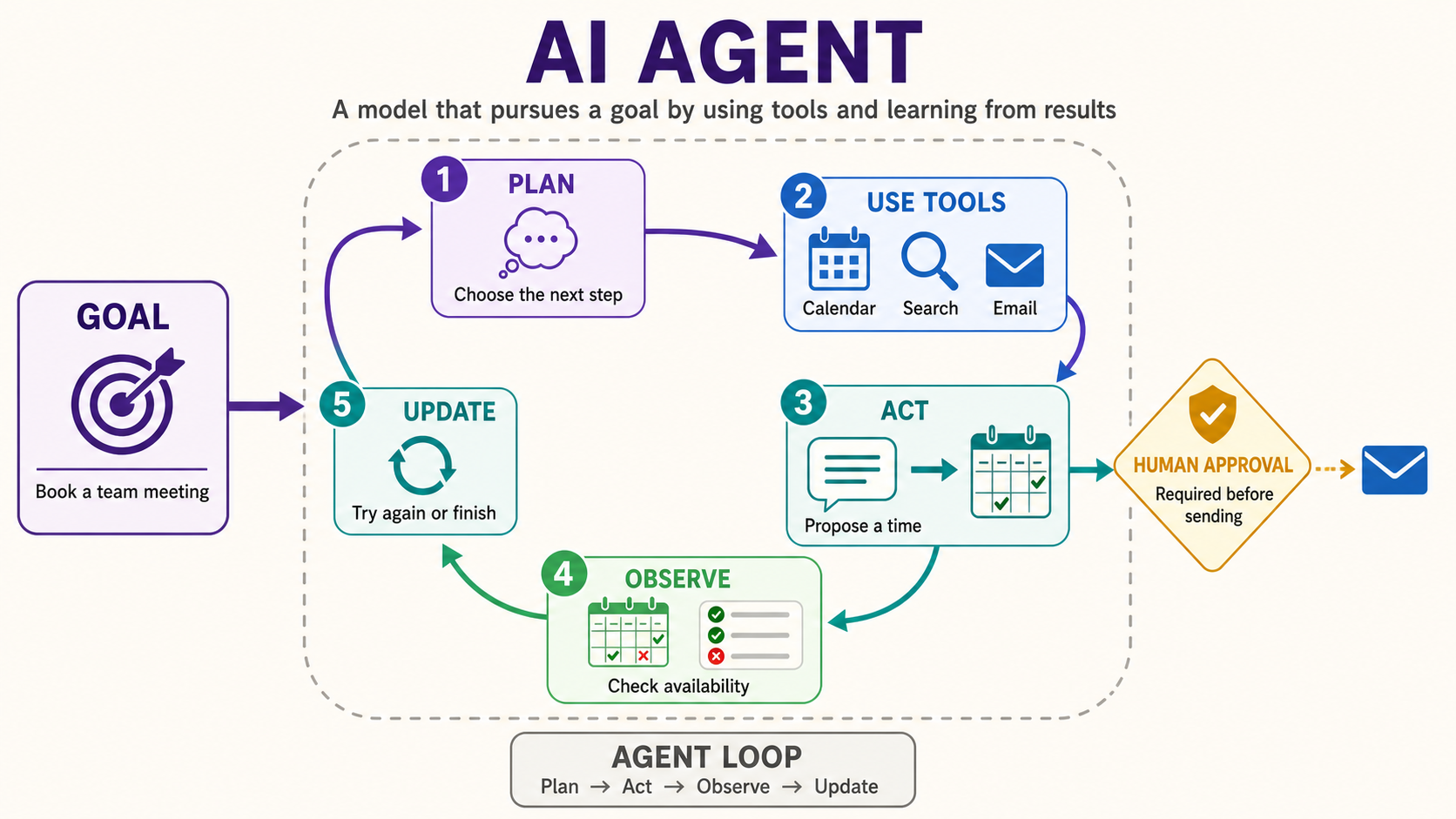
AI Agent: Goals, Tools, Feedback, and Guardrails
An AI agent is a system that uses a model to interpret a goal, choose actions, interact with tools or an environment, observe results, and adapt within defined limits.
#AI agents#tool use#automationRead entry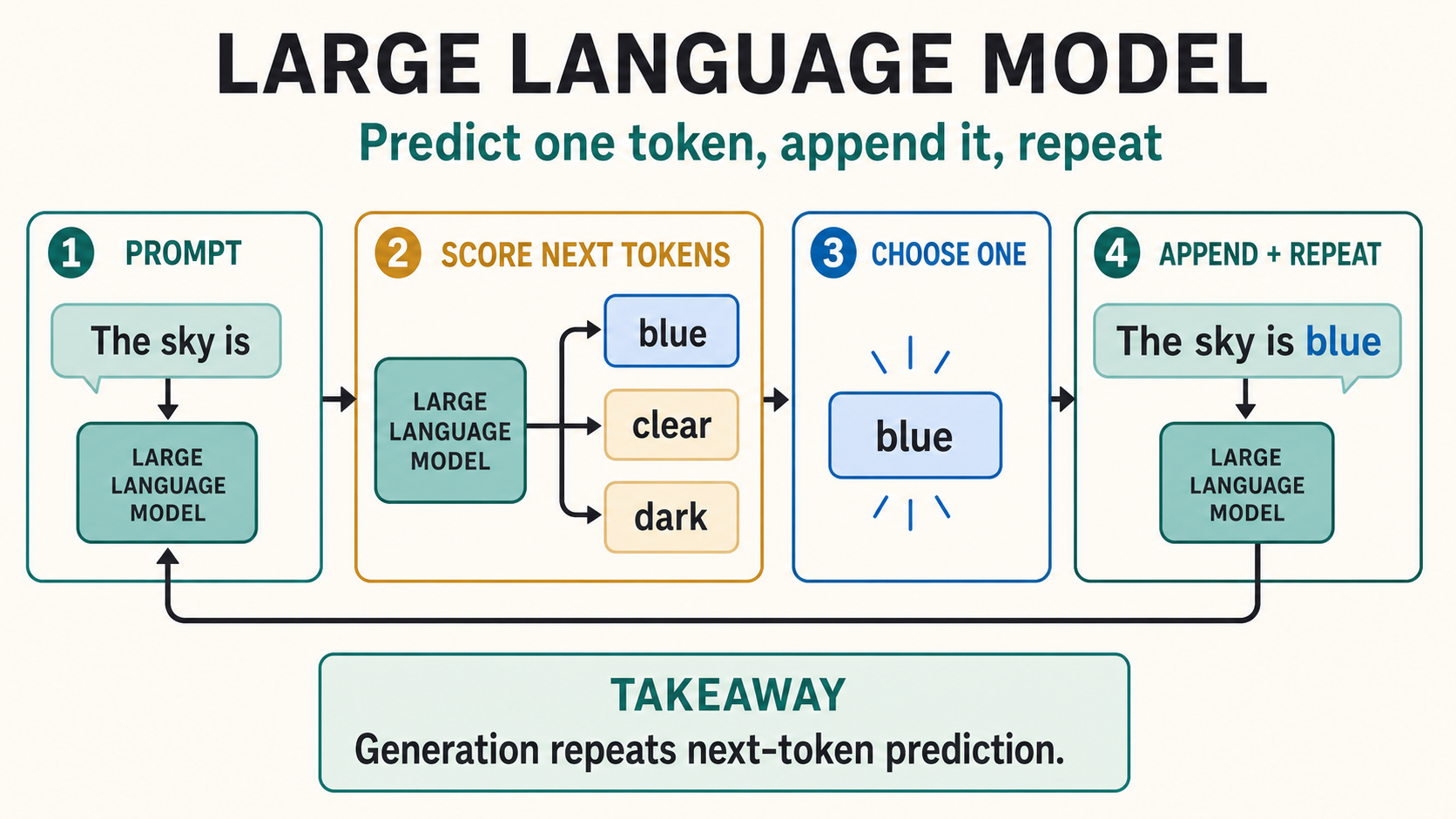
Models & Architecture
Large Language Models (LLMs): How They Generate Text
A large language model is a neural network trained on extensive language data to estimate patterns in token sequences, enabling it to generate or represent text for many downstream tasks.
#language models#generative AI#transformersRead entry